

Jun 11, 2026
AVI-SPL takes home eight TrustRadius Top Rated Awards
View more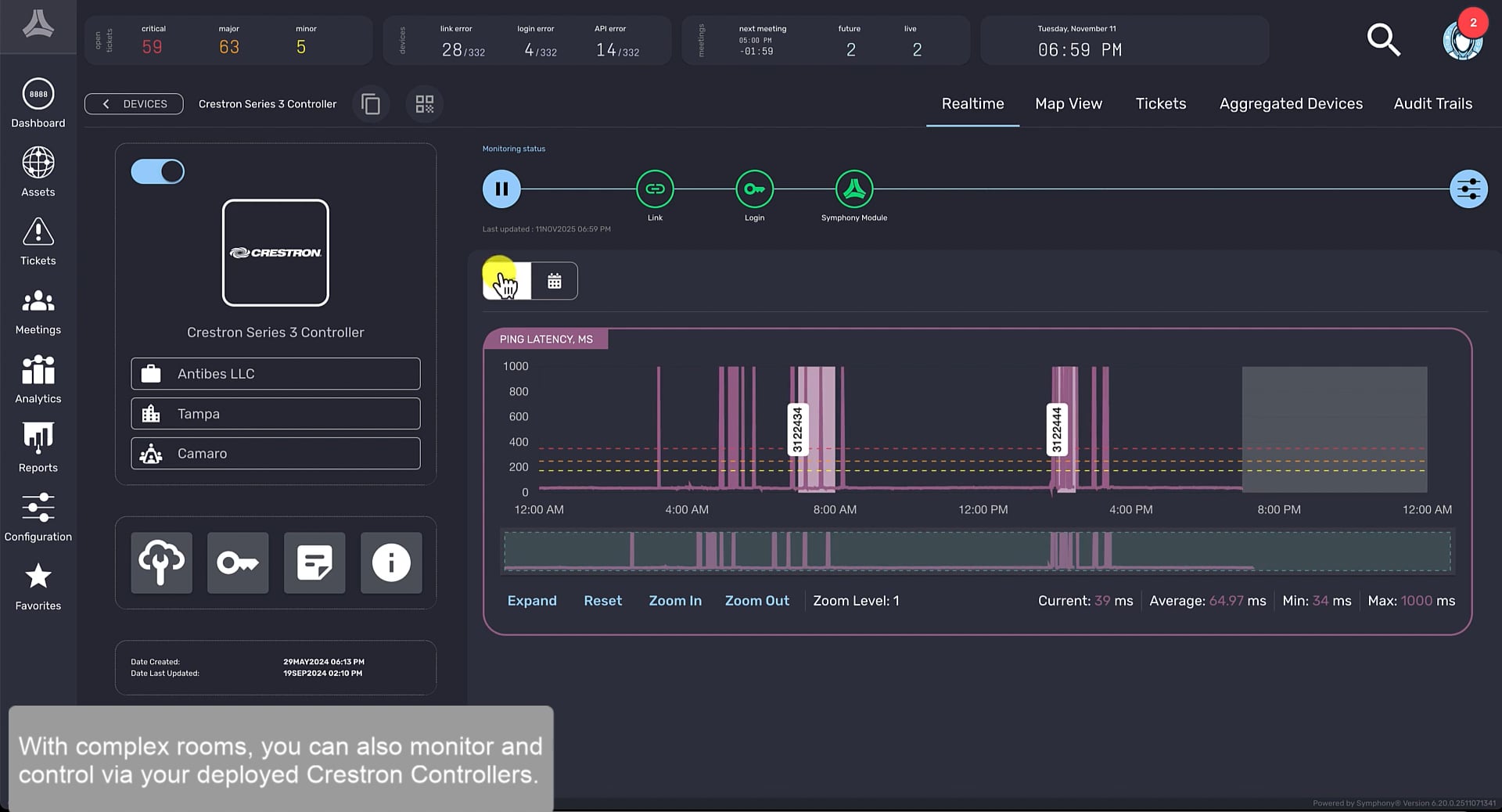
Collaboration technology now plays a larger role in how work gets done. Employees depend on meeting spaces to connect quickly and keep the day moving. For IT teams, supporting that experience can become harder as more rooms rely on different systems. How do you elevate collaboration experiences and reduce IT workloads at the same time?
When a room stops working, quickly identifying the issue becomes important. That is not always simple when information lives in separate tools or requires someone to manually check the space. As more rooms are added across the organization, your teams may spend more time identifying issues before they can resolve them.
Employees, meanwhile, are not thinking about the systems behind the meeting. They simply expect the room to work when they walk in. That expectation puts more pressure on IT teams to identify problems earlier and respond before more meetings are affected.
In this webcast, Laurie Berg from AVI-SPL discusses how organizations are using Symphony to better understand room conditions and identify problems earlier, helping reduce time spent reacting after meetings are disrupted.
As Laurie explains during the discussion, “I don’t want to go check the rooms that are up and running. I want Symphony to tell me that. I want to go deal with the rooms that aren’t.”
The webcast explores how Symphony helps teams focus on the spaces that need attention. It also looks at how remote support can reduce the time your teams spend checking rooms manually.
Many IT teams are looking for ways to catch issues before meetings are interrupted. If support teams only learn about problems after employees report them, troubleshooting often begins after the meeting experience is already affected.
As Laurie explains, “Data has to speak to you. Data has to be actionable. Data has to be digestible.” That kind of information helps technicians respond faster without sorting through disconnected systems.
During the webcast, Laurie shows how Symphony brings room data into a more centralized view. Your teams can review room conditions and ticket activity in one place. That visibility may help identify which spaces need attention sooner.
The session also explores how automation can support a more consistent room experience. For example, Symphony can help reset rooms to standard settings or support remote actions when a device needs attention.
Instead of checking rooms one by one, IT teams can focus on the spaces that actually need help. That shift can make support more efficient while helping employees start meetings with fewer disruptions.
Watch the full webcast to learn how organizations are improving visibility across meeting spaces with Symphony. You’ll also hear how teams are supporting more proactive operations and spending less time reacting to room issues.