
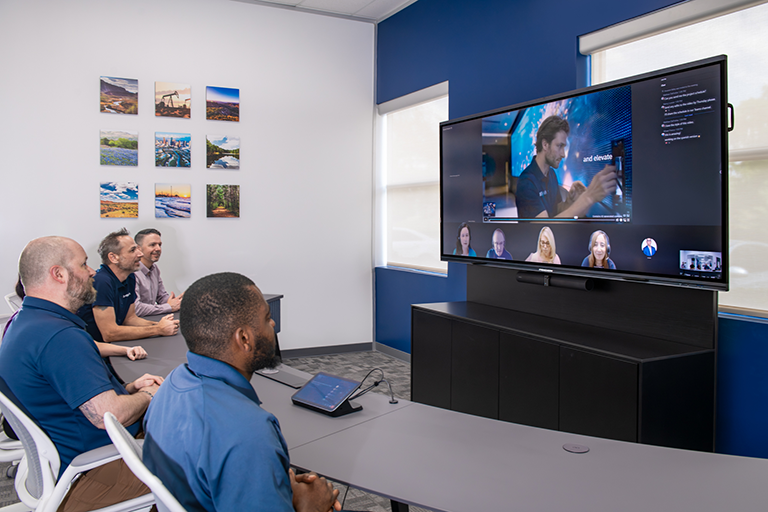
Intelligent meeting spaces that deliver impact, made easy for IT, workplace, and collaboration leaders
Microsoft Teams Rooms help you deliver value across the entire meeting and workplace lifecycle, from improving collaboration experiences to enabling AI-powered productivity and simplifying workspace management.
Our FAQ is aligned to three core value pillars of Microsoft Teams Rooms: Boost Productivity with Intelligent Spaces, Collaborate with Impact, and Optimize Workspaces, and the broader business outcomes they enable.
Note that capabilities vary by room platform, certified hardware, software version, license, tenant configuration, region, and rollout status.
Boost Productivity with Intelligent Spaces
What is in-room compute, and how can it improve meeting performance?
In-room compute can create a more consistent experience for everyone in the room and help organizations deliver reliable, intelligent meeting spaces at scale.
Think of in-room compute as the brain of the room. Dedicated hardware such as a Windows compute or Android device puts computing power directly in the meeting room to support high-quality audio, video, and AI experiences.
Dedicated room compute can provide a consistent platform for room workloads. The available meeting, management, and AI capabilities still depend on the room configuration, supported devices, and applicable Teams licensing.
How could Microsoft 365 Copilot in Teams help improve individual productivity?
Copilot in Teams meetings serves as an AI assistant for an individual participant during the meeting. Copilot can help participants review discussions, identify follow-up actions, answer questions about meeting content, and quickly get up to speed when joining after the meeting has started.
When a meeting attendee submits a prompt to Copilot, the resulting responses are only visible to the user interacting with it. A Teams Premium and a Copilot license may be required. Learn more.
What business value does the Facilitator agent provide for your team?
In Teams meetings, the Facilitator agent can allow participants to focus on decision-making and collaboration rather than note-taking, where available and with the appropriate Teams license. By automatically generating meeting notes, summaries, and action items, the agent can reduce cognitive load during meetings and improve accountability afterward.
Your end users and IT team may benefit through more consistent meeting documentation, fewer missed commitments, and greater continuity across projects. Teams can spend less time recreating discussions and more time executing outcomes. Note that a Microsoft Copilot license is required to add Facilitator to a meeting or turn it on during a meeting. Learn more.
How can voice and face recognition profiles improve the meeting experience?
Where supported and enabled by the organization, speaker recognition can improve attribution in meeting transcripts and recaps. Organizations should evaluate privacy, consent, enrollment, regional requirements, and administrative controls before enabling these capabilities. Learn more.
How can Microsoft Teams Rooms improve hybrid meeting equity?
Organizations can maintain collaboration quality regardless of where employees choose to work. Teams Rooms can help reduce the experience gap between in-room and remote participants through inclusive layouts, intelligent cameras, spatial audio, and other supported capabilities. Learn more.
Collaborate with Impact
What value can IntelliFrame provide for distributed teams?
Organizations may benefit from engagement and stronger communication between remote and in-room participants. Teams may follow conversations better, identify speakers, and maintain collaborative momentum across locations. IntelliFrame can provide a more participant-focused view in supported configurations. This may improve visibility, clarity, and personal connection during meetings. Learn more.
How can wireless content sharing improve collaboration?
Removing dependency on cables, adapters, and manual setup can reduce friction at the beginning of meetings and encourage faster collaboration. While the technology itself is simple, the business impact is significant. Teams spend less time troubleshooting technology and more time discussing priorities, making decisions, and moving projects forward.
Wireless sharing options vary by room type, operating system, device, tenant configuration, and enabled features and can include:
- Cast content from your computer to a Microsoft Teams Room a Surface Hub device. This includes screens, windows, and PowerPoint live.
- Miracast lets you project your Windows laptop screen to the room display without joining a meeting or using cables. Miracast is available on supported Teams Rooms on Windows configurations when the organization enables it.
What is the strategic advantage of multi-platform interoperability?
Many organizations operate in a multi-platform environment involving customers, partners, and suppliers. Direct Guest Join can help organizations use supported Teams Rooms to join selected third-party meetings, reducing the need for separate room workflows or dedicated platform-specific room deployments. This can help simplify the user experience and enable everyone to collaborate externally without forcing partners onto a specific platform. Learn more.
How do multilingual meeting capabilities support global organizations?
Real-time language support may help remove communication barriers across regions, countries, and business units. The benefit can extend beyond convenience. Your teams may improve participation, accelerate decision-making, reduce misunderstandings, and make meetings more accessible to diverse audiences while supporting international growth initiatives.
Support may include:
- Interpreter Agent
- Multilingual speech recognition
- Live translated captions
- Translated recap after multilingual meetings
Available features may depend on Teams Premium and Copilot licenses, meeting type, tenant configuration, supported languages, rollout status, and region. Learn more.
Why use the Microsoft Teams Events app for events and town halls?
The Microsoft Teams Events app provides a unified hub that simplifies event creation and maintains a consistent experience across all your events at scale. The app can be valuable for executive communications, webinars, town halls, employee engagement events, training sessions, customer-facing presentations, and live events that need a moderated Q&A option and limited attendee interaction. Learn more about the Events app.
Optimize Workspaces
What value does the Teams Rooms Pro Management service provide?
The Microsoft Teams Rooms Pro Management service is a cloud-based management solution that proactively monitors and updates Microsoft Teams Rooms devices and their peripherals. Additionally, the AI assistant can help administrators investigate room issues and identify suggested next steps, where available. Note that your administrators remain responsible for validating and applying remediation.
Where is this service available? Rooms must be Microsoft Teams Rooms-supported devices, and you must prepare your environment with all the required Office 365 URLs and IP address ranges fully allowed and reachable by meeting room devices. Available services also vary by location. The AVI-SPL team can help you prepare your environment. Learn more.
Why is standardized room design important?
Standardization creates predictable user experiences across locations, reducing training requirements and reducing complexity. For your IT teams, standard room designs can simplify deployment, procurement, lifecycle management, and troubleshooting. For users, standards can create confidence that every room will work the same way regardless of location.
What are the benefits of modern deployment models like Microsoft Teams Rooms Express Install?
Modern deployment approaches such as Microsoft Teams Rooms Express Install can reduce installation time, minimize room downtime, and lower the costs associated with room upgrades and new deployments. Organizations can scale meeting room modernization programs more quickly while maintaining consistency across their environment. Faster deployments can also accelerate time-to-value. AVI-SPL offers ready-to-buy Microsoft Teams Rooms Express Install bundles and custom solutions.
How do Teams Panels improve workplace utilization?
Microsoft Teams panels simplify booking and let users view meeting details at a glance. With easy deployment and simple management, the user-friendly interface, color-coded indicators, and touchscreen functionality can streamline reservations for hassle-free bookings. Teams Panels may help users find and reserve rooms and can work with occupancy and auto-release capabilities where configured. Learn more.
What does Microsoft Places do?
Microsoft Places helps organizations coordinate hybrid work by connecting employees, workspaces, and workplace data within the tools they already use. Through experiences embedded in Microsoft Teams and Microsoft Outlook, employees may be able to identify opportunities for in-person collaboration, locate appropriate workspaces, and make more informed decisions about where and when to work.
For business leaders, Microsoft Places brings together workplace signals such as reservations, occupancy trends, and space utilization to provide greater visibility into how offices are being used. These insights may help support workplace planning, improve the use of meeting rooms and desks, and inform decisions related to hybrid work policies, real estate investments, and workplace experience initiatives.
Keep in mind that Microsoft Places and Teams Rooms require licensing, supported room signals, sensors or occupancy data, configuration, and privacy and governance considerations. Your AVI-SPL team is ready to guide you through the process. Learn more.
What is a possible long-term business case for Teams Rooms?
Teams Rooms can extend modern collaboration and AI-enabled meeting experiences into physical spaces. The business value depends on adoption, room design, licensing, operating practices, and how the organization applies the resulting insights and workflows. AVI-SPL is ready to help you plan, deploy, and operate your Microsoft Teams Rooms. Contact us to get started.
I have additional Microsoft Teams Room questions. How can I learn more?
Contact AVI-SPL or call your local AVI-SPL office. Our Microsoft experts will be happy to help.